
Beat Saber replay analysis
Why are you losing score?
You only know your score. SaberLab tells you why.
SaberLab rebuilds every swing from the replays already on your PC and measures what the game scores: the swing before the cut, the distance from center, the follow-through. Then it shows where the points went, cut by cut and song by song.
Free and open source · Windows 10 / 11 (x64)
01 · A real run
Every cut, on one line
One real replay, straight from SaberLab's analysis. Each tick is one cut, placed at its time and its score; the lines are each hand's moving average and the running accuracy. Point at the chart to read any cut.
- Notes
- 1,143
- Accuracy
- 88.86%
- Misses
- 3
- Bad cuts
- 5
- Average cut
- 105.46/115
- Pre · Center · Post
- 69.66 · 6.49 · 29.31
02 · Where the points went
The note grid, position by position
The same run on the game's 4 × 3 note grid. Each tile is one note position, with its average cut score and how many notes landed there; brighter tiles scored higher in this run. SaberLab draws this grid for every replay, down to each color and cut direction.
Weakest position: 101.4 · 106 notes
03 · How it works
Measured first, explained second
- 01
Replay
The BeatLeader replay files and maps already on your PC. They are only read, never changed.
- 02
Decode
The official replay format and scoring rules, ported so recomputed scores match the recorded score note for note.
- 03
Measure
Every cut's swing angles, center distance and timing, plus hand motion, fatigue and the energy bar.
- 04
Compare
Your earlier runs of the same map, your level across maps, and ScoreSaber or BeatLeader data.
- 05
Explain
An AI model puts the measured results into plain words and suggests what to practise. The numbers always come from step 03.
04 · The app
See every run in detail
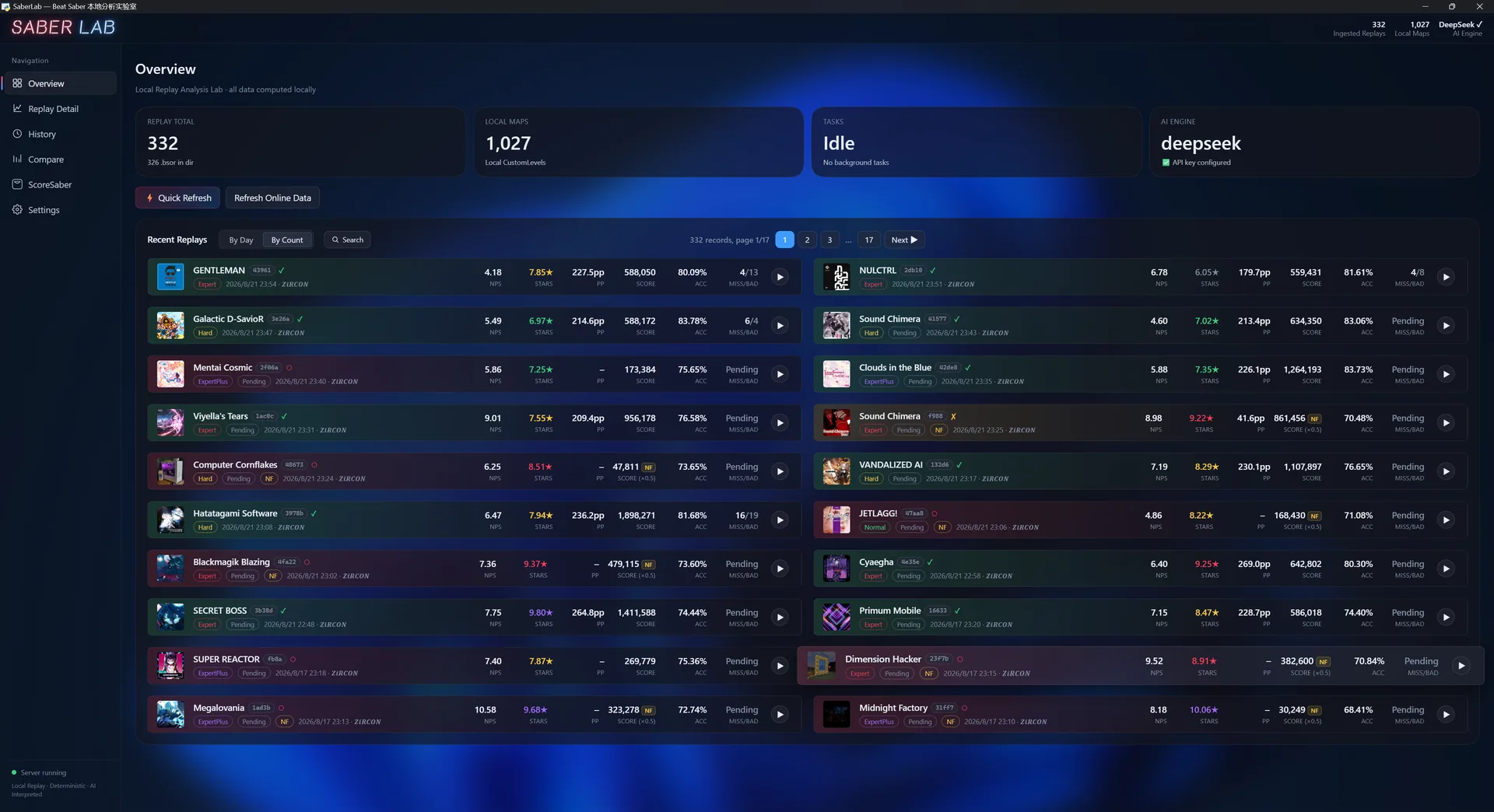
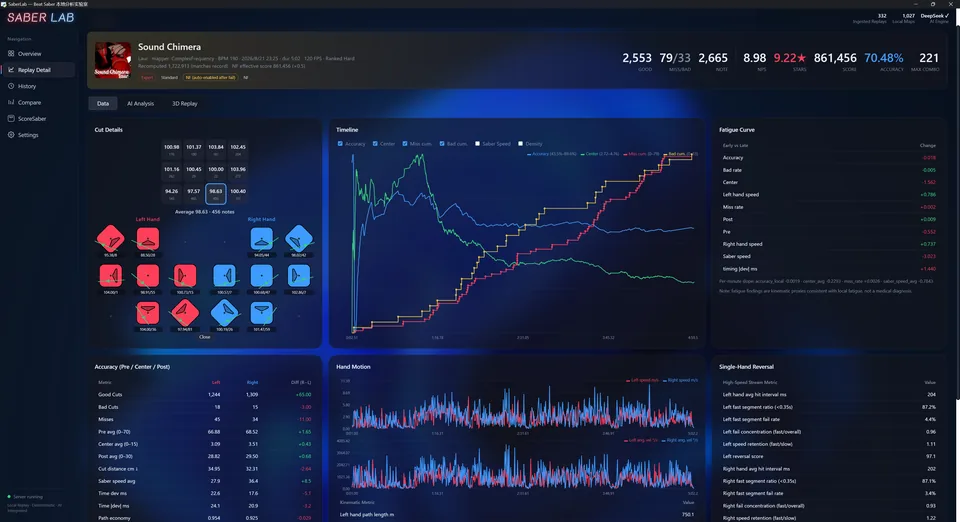
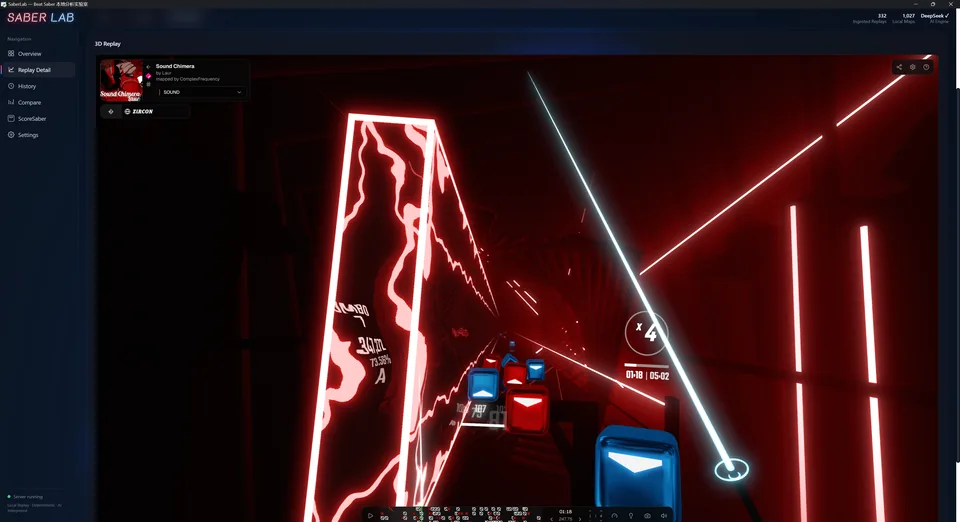
SaberLab is under active development. The current version may differ from these screenshots.
05 · Features
What SaberLab measures
Local-first
Reads the BeatLeader replays and maps already on your PC. Every metric is computed locally, and your replay files are never changed.
Official scoring
A port of the official replay decoder and scoring rules: recomputed scores match the recorded score note for note.
Accuracy breakdown
Pre / Center / Post per hand, cut distance and timing offset, and a per-position grid showing how each note was cut.
Note-by-note timeline
Accuracy, saber speed and note density across the song, with misses, bad cuts, the energy bar and the moment a run failed.
Motion and fatigue
Hand speed, angular velocity, path economy and direction changes, and how they shift from the start of a song to the end.
3D replay
Watch the run again in 3D from your own map and replay files, right inside the app.
Your map library
Every custom map on your PC in one list — cover, song, artist and mapper, difficulty badges, BPM, length and note density — searchable and sortable.
Chart by chart
Open a map for its own page: note count, NPS, NJS, note span and file size per difficulty, the density across the song, and everything you have played on that chart.
See the chart in 3D
Hand a single chart to the 3D viewer without a replay, to see where the blocks actually are — the whole map is handed over at once, so switching difficulty is instant. Both card views go fullscreen.
Missing maps come back
Replays you kept after deleting a map still open: SaberLab fetches the level again — your deleted custom maps from BeatSaver, the game's own songs from the community archive of its levels. Paid DLC has no public source anywhere and is reported as such.
AI coach
An AI model explains the measured metrics and suggests what to practise. Without an AI key you still get a rule-based report.
ScoreSaber and BeatLeader
Stars, PP and leaderboards for the maps you play. For ranked ScoreSaber maps, drag a slider to preview the PP at any accuracy.
Three languages
简体中文, English and 日本語, switchable in Settings.
Get SaberLab
The Windows package includes everything it needs: unzip it and run SaberLab.exe.
- Unzip the package and double-click SaberLab.exe.
- In Settings → Game Path, choose your Beat Saber folder. The replay and map folders are found automatically.
- Optional: add an AI API key in Settings → AI to get AI coaching reports.
Windows 10 / 11 (x64) · WebView2 Runtime (included with Windows)